

The Importance of AutoCAD in Interior Design: Benefits to Expect in the Coming Year
- Utsab Jung Karki
- Dec 1, 2025
- 4 min read

Interior design has evolved dramatically over the past decade, with technology playing a key role in shaping how designers bring their visions to life. Among the many tools available, AutoCAD stands out as a fundamental software that has transformed the industry. As we look ahead to the coming year, understanding the importance of AutoCAD in interior design and the benefits it offers can help professionals stay ahead and deliver exceptional results.
AutoCAD is more than just a drafting tool; it is a comprehensive platform that supports creativity, precision, and efficiency. This post explores why AutoCAD remains essential in interior design, highlights its key advantages, and outlines the benefits designers can expect in the near future.
How AutoCAD Supports Interior Design Precision
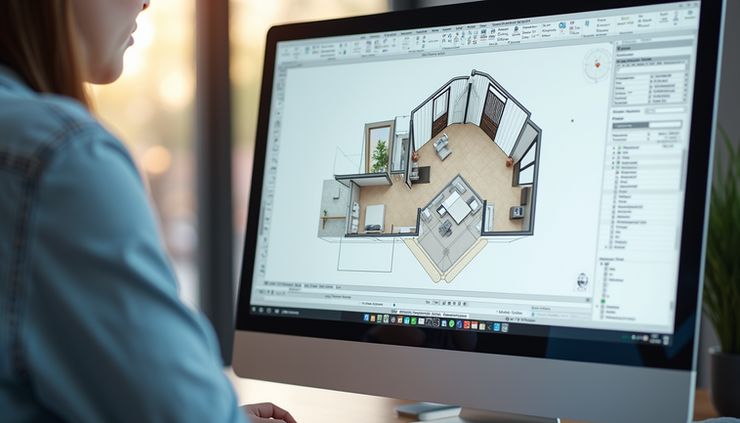
Interior design requires exact measurements and detailed planning to ensure that every element fits perfectly within a space. AutoCAD provides tools that allow designers to create accurate 2D and 3D drawings, which serve as blueprints for construction and decoration.
Accurate Measurements
AutoCAD’s precision tools help designers avoid costly mistakes by ensuring that dimensions are exact. This accuracy is crucial when planning furniture layouts, lighting, and architectural features.
Detailed Documentation
Designers can generate comprehensive documentation, including floor plans, elevations, and sections. These documents communicate design intent clearly to contractors and clients.
Customization and Flexibility
AutoCAD allows users to customize layers, line types, and annotations, making it easier to organize complex projects and adjust designs quickly.
Enhancing Creativity with AutoCAD’s Features
While precision is vital, creativity drives interior design. AutoCAD supports creative exploration by enabling designers to visualize ideas in multiple ways.
3D Modeling and Visualization
Designers can create three-dimensional models to better understand spatial relationships and aesthetics. This helps clients visualize the final outcome before any physical work begins.
Material and Texture Mapping
AutoCAD supports applying materials and textures to models, offering a realistic preview of finishes such as wood, fabric, or stone.
Integration with Other Software
AutoCAD files can be imported into rendering software like 3ds Max or Revit, allowing designers to produce photorealistic images and walkthroughs.
Improving Collaboration and Communication
Interior design projects often involve multiple stakeholders, including clients, architects, contractors, and suppliers. AutoCAD facilitates smooth collaboration by providing a common platform for sharing and reviewing designs.
Cloud Storage and Sharing
With cloud integration, teams can access the latest versions of drawings anytime, anywhere, reducing delays and miscommunication.
Markup and Revision Tools
AutoCAD allows users to add comments and markups directly on drawings, making feedback clear and actionable.
Standardized File Formats
The DWG format is widely accepted, ensuring compatibility across various software and devices.
Time and Cost Savings with AutoCAD
Efficiency is a major concern in interior design, where deadlines and budgets are tight. AutoCAD helps save time and reduce costs through automation and streamlined workflows.
Reusable Templates and Blocks
Designers can create libraries of standard components such as doors, windows, and furniture, speeding up the drafting process.
Automated Calculations
AutoCAD can calculate areas, volumes, and quantities, aiding in material estimation and budgeting.
Error Reduction
By catching design conflicts early, AutoCAD minimizes costly rework during construction.
Benefits to Expect in the Coming Year
As technology advances, AutoCAD continues to evolve, offering new features and improvements that will benefit interior designers in the near future.
Enhanced AI and Machine Learning Tools
Upcoming updates are expected to include AI-driven suggestions for design optimization, helping designers make smarter choices faster.
Improved User Interface and Accessibility
AutoCAD is becoming more user-friendly, with customizable interfaces and better support for mobile devices, allowing designers to work on the go.
Greater Integration with Virtual and Augmented Reality
Integration with VR and AR will enable immersive design presentations, letting clients experience spaces virtually before construction.
Sustainability Features
New tools will assist designers in selecting eco-friendly materials and optimizing energy efficiency, aligning with growing environmental concerns.
Collaboration Enhancements
Real-time multi-user editing and improved cloud services will make teamwork smoother, even across different locations.
Practical Examples of AutoCAD in Interior Design
To illustrate AutoCAD’s impact, consider these real-world scenarios:
Residential Renovation
A designer uses AutoCAD to create detailed floor plans and 3D models for a kitchen remodel. The client can see different layout options and material finishes, making decisions easier and faster.
Commercial Space Planning
For an office redesign, AutoCAD helps map out furniture placement, lighting, and electrical plans. The software’s precision ensures compliance with building codes and accessibility standards.
Custom Furniture Design
AutoCAD allows designers to draft bespoke furniture pieces with exact dimensions, which manufacturers can use directly for production.
Tips for Interior Designers Using AutoCAD
To get the most out of AutoCAD, interior designers should:
Invest in Training
Mastering AutoCAD’s features requires practice. Online courses and tutorials can accelerate learning.
Use Templates and Libraries
Build or download libraries of common design elements to save time.
Stay Updated
Keep software updated to access the latest tools and improvements.
Collaborate Early
Share drafts with clients and contractors early to catch issues and gather feedback.
Combine with Other Tools
Use AutoCAD alongside rendering and project management software for a complete workflow.


Comments